Field teams rely on clear instructions, timely updates, and accurate reporting. A Mobile Data Terminal provides a direct digital link between dispatch centers and teams on the move. It serves as a secure interface that keeps communication open, reduces delays, and supports tasks that require precise information. Many organizations treat the device as a core operational tool because it helps streamline workflows that depend on quick data access and reliable messaging. The concept focuses on easy interaction, fast retrieval of essential details, and better coordination during tasks carried out in remote or mobile settings.
What a Mobile Data Terminal Does
A Mobile Data Terminal works as a compact, in-vehicle computer that connects field teams with their main control center. It provides a central place to receive instructions, respond to requests, and share updates. Users view messages, maps, and task details through a simple interface designed for fast reading. The device reduces confusion because all information stays in one system, so no separate notes, calls, or manual steps are required. The goal involves making long processes simpler. Field workers send progress updates or check task records without returning to an office. This approach allows teams to stay in motion while keeping communication strong.
How It Helps Field Teams Work Faster
A Mobile Data Terminal supports operations that depend on speed and accuracy. It creates a flow of information that teams can trust. Tasks that once required several steps now take less effort. It also makes dispatch decisions easier because staff see the latest data without waiting for external confirmation. The device assists with route guidance, task scheduling, and real-time status checks. Each capability leads to better awareness in situations where timing matters. A Mobile Data Terminal also helps reduce miscommunication, which protects both staff and resources.
Key Features That Improve Daily Operations
The device offers several functions that make daily work more controlled and predictable. These functions stay focused on communication, safety, and clear visibility.
Real-Time Task Updates
Field teams receive new instructions as soon as they are issued. The device displays task changes, location details, or schedule shifts. This system helps teams adjust quickly instead of relying on delayed instructions.
Secure Messaging System
The built-in messaging tool supports direct communication with dispatch. Messages remain organized in one place, so workers view previous notes and avoid repeated questions. A clear communication line reduces errors during high-pressure tasks.
Map Display and Location Tracking
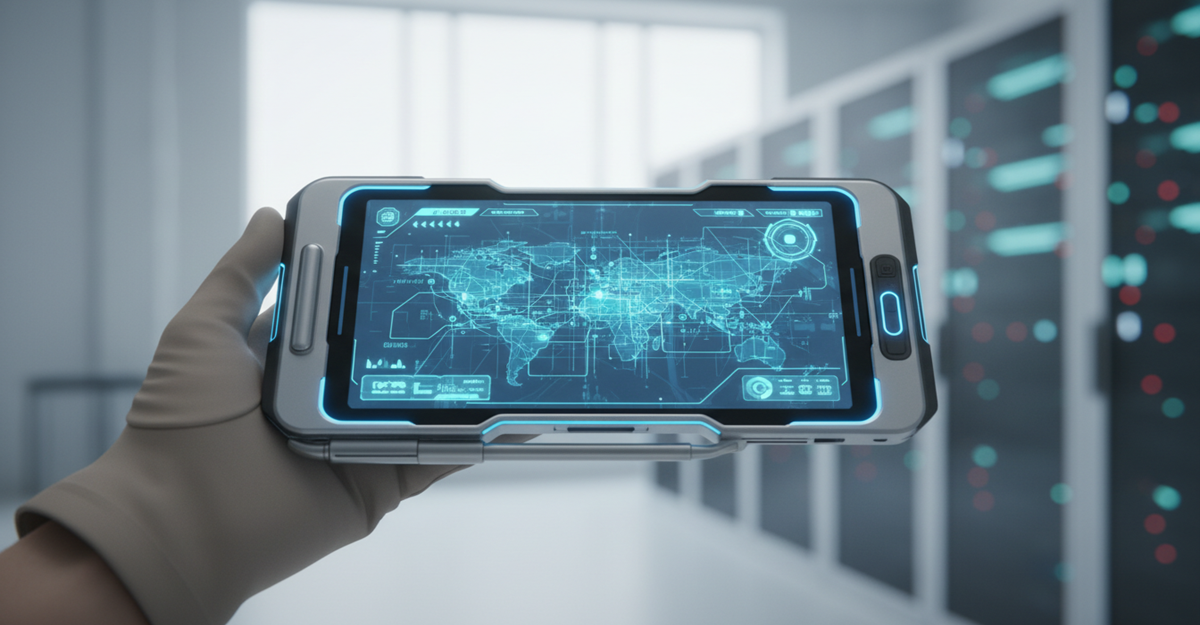
The device provides map details that help workers see their route. This feature gives a visual reference that reduces unnecessary travel or wrong turns. It also helps dispatch staff follow each unit’s position more closely.
Strong Device Design
A Mobile Data Terminal is built for constant movement. It handles vibration, temperature changes, and rough environments. This durability protects the device during long field shifts.
Fast Access to Operational Data
Teams view work history, unit details, or relevant task records without external devices. This approach limits interruptions while supporting better reporting.
Why Organizations Trust Mobile Data Terminals
Several industries use these devices to maintain stable communication across large areas. The tool improves awareness for teams that must respond quickly or move across different sites.
A Mobile Data Terminal helps:
- Reduce long communication chains
- Keep instructions consistent
- Support safer navigation
- Improve reporting accuracy
Organizations that rely on timely decisions treat the device as a reliable communication partner.
How It Enhances Communication Between Teams
Clear communication drives successful field operations. A Mobile Data Terminal creates a path for regular, uninterrupted updates. Dispatch staff view a worker’s status, progress, and location. Field workers respond without switching to another device or channel. This approach removes the uncertainty that often appears during large operations. Both sides rely on the same digital platform, which keeps expectations aligned. The result involves faster coordination and fewer misunderstandings.
A Closer Look at Data Handling
A Mobile Data Terminal uses digital tools to store and share information across different workflow steps. These steps include task assignments, location monitoring, and message records. Data stays organized, so teams locate what they need without searching through multiple sources. The system reduces handwritten entries, which helps maintain accuracy. It also simplifies review sessions because all records remain linked to a single operational source.
The Role of IP Addressing in Safe Connections
Field systems depend on secure data routes. A Mobile Data Terminal connects through protected networks that use structured IP addressing. Each device receives a specific address that identifies it within the system. Some resources explain how addresses appear and how they differ from private or public network ranges. These details help users understand how device connections operate inside controlled environments. They highlight the importance of a proper addressing structure so systems maintain stable, safe communication channels between units and dispatch centers.
A clear understanding of IP organization prevents confusion when interpreting device communication logs or addressing patterns. These explanations guide users who want to confirm that each unit operates within the correct digital path.
Common Uses Across Field Industries
Different sectors rely on Mobile Data Terminals to keep operations smooth:
- Transport teams stay in touch with dispatch to receive updated routes.
- Service units follow digital instructions instead of manual notes.
- Security teams maintain live communication during active tasks.
Each use case shows how the device supports continuous awareness in mobile environments.
Why Reliability Matters in Field Technology
Reliable communication supports faster decisions. A Mobile Data Terminal offers a stable link that teams trust even during demanding conditions. It reduces manual steps that slow operations and helps workers stay focused on the task instead of device limitations. The device also supports consistent documentation, which helps teams meet operational expectations. When field staff rely on the system, dispatch teams receive more accurate data that guides future decisions.
Device Setup and Integration Basics
A clear setup process helps teams start using the terminal without confusion. The device fits inside vehicles and connects to existing communication systems. Staff follow guided steps that help them link the device to their network. Once active, the interface provides simple navigation. Workers access messages, location info, and tasks without complex menus. The approach ensures field teams stay productive from the first use.
How the Device Supports Safety
Safety plays a strong role in field operations. A Mobile Data Terminal helps reduce risks by limiting distractions. Workers view important details on a mounted screen, so they do not handle multiple tools while moving. Real-time updates help teams avoid unsafe conditions or unexpected issues. The system provides information that supports smarter decisions under pressure. The focus stays on reducing confusion and guiding teams with the most current data.
Operational Benefits of Using a Mobile Data Terminal
The advantages appear in several areas:
- Faster access to important updates
- Clearer routing decisions
- Improved team awareness
- Stable communication system
- Structured record-keeping
These benefits reflect the device’s role as a digital support system that fits the fast pace of field tasks.
Comparison Table: Key Advantages
The competitor article used comparison-style explanations, so the same format is preserved:
| Feature | Operational Value |
|---|---|
| Real-time updates | Helps teams adjust faster during route or task changes |
| Secure messaging | Reduces confusion and supports clear communication |
| Map display | Guides accurate movement across work sites |
| Rugged design | Protects the device in rough conditions |
| Organized data access | Creates reliable reporting and safe record storage |
Future Outlook Based on Current Usage
Current use trends show strong adoption across industries. Organizations continue to rely on these devices because they support cost-effective communication and predictable field coordination. As teams depend more on digital records and real-time visibility, the Mobile Data Terminal remains central to smooth operations. The continued interest reflects how teams want simpler tools that deliver dependable results. A device that provides easy access to essential data stays valuable in any field environment that requires structured control and clear communication.
Conclusion
A Mobile Data Terminal serves as a practical link between field teams and dispatch centers. It brings clarity, stability, and speed to tasks carried out on the move. Workers depend on it for instructions, message logs, route details, and task tracking. Organizations use it to maintain strong oversight and quick decision cycles. Its role remains vital because field operations depend on tools that keep communication and information simple, direct, and predictable.
FAQs
1. What is the main purpose of a Mobile Data Terminal?
It provides a digital link between field teams and dispatch centers so messages, tasks, and updates stay in one secure system.
2. How does the device improve communication?
It organizes messages, task notes, and updates in a single interface that reduces confusion and keeps teams aligned.
3. Why do field industries rely on this device?
It helps teams follow routes, receive updates, and maintain a constant connection with dispatch.
4. Can the device handle rough working conditions?
Yes, its durable design protects it from vibration, temperature changes, and other field conditions.
5. How does mapping support field operations?
The built-in map gives a clear route overview so workers avoid detours and follow accurate paths.
6. What role does data organization play?
It keeps task records, location notes, and message logs structured for faster review and better reporting.
7. Why is IP addressing discussed with this technology?
It helps users understand how devices connect within networks and how each unit receives a proper address for safe communication.